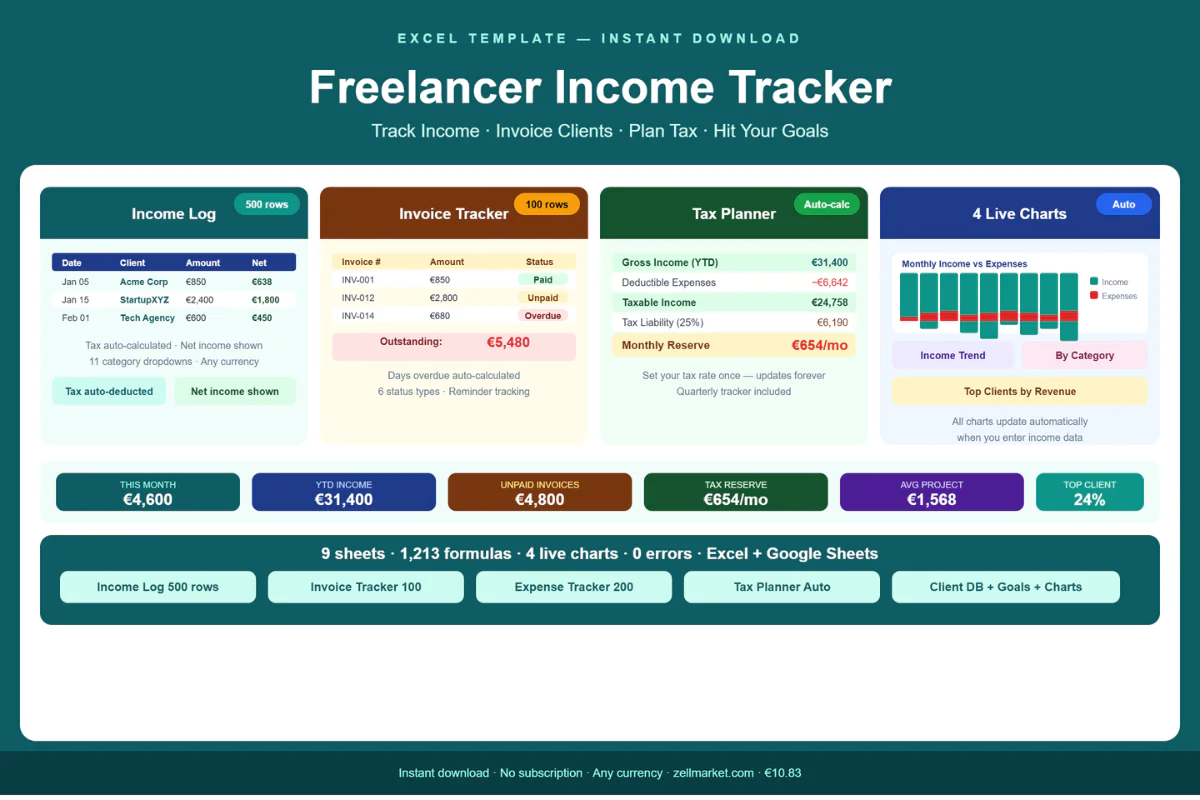
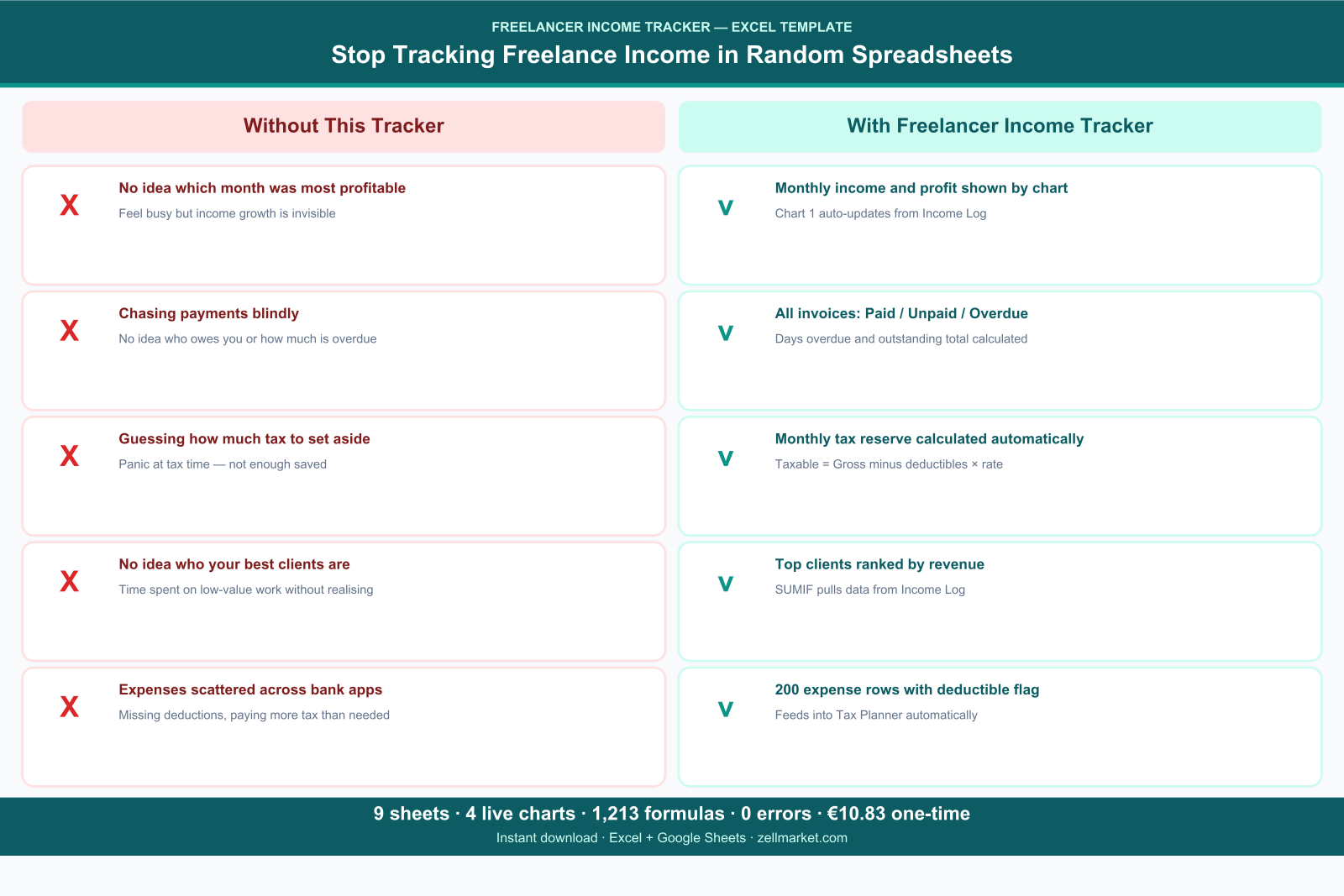
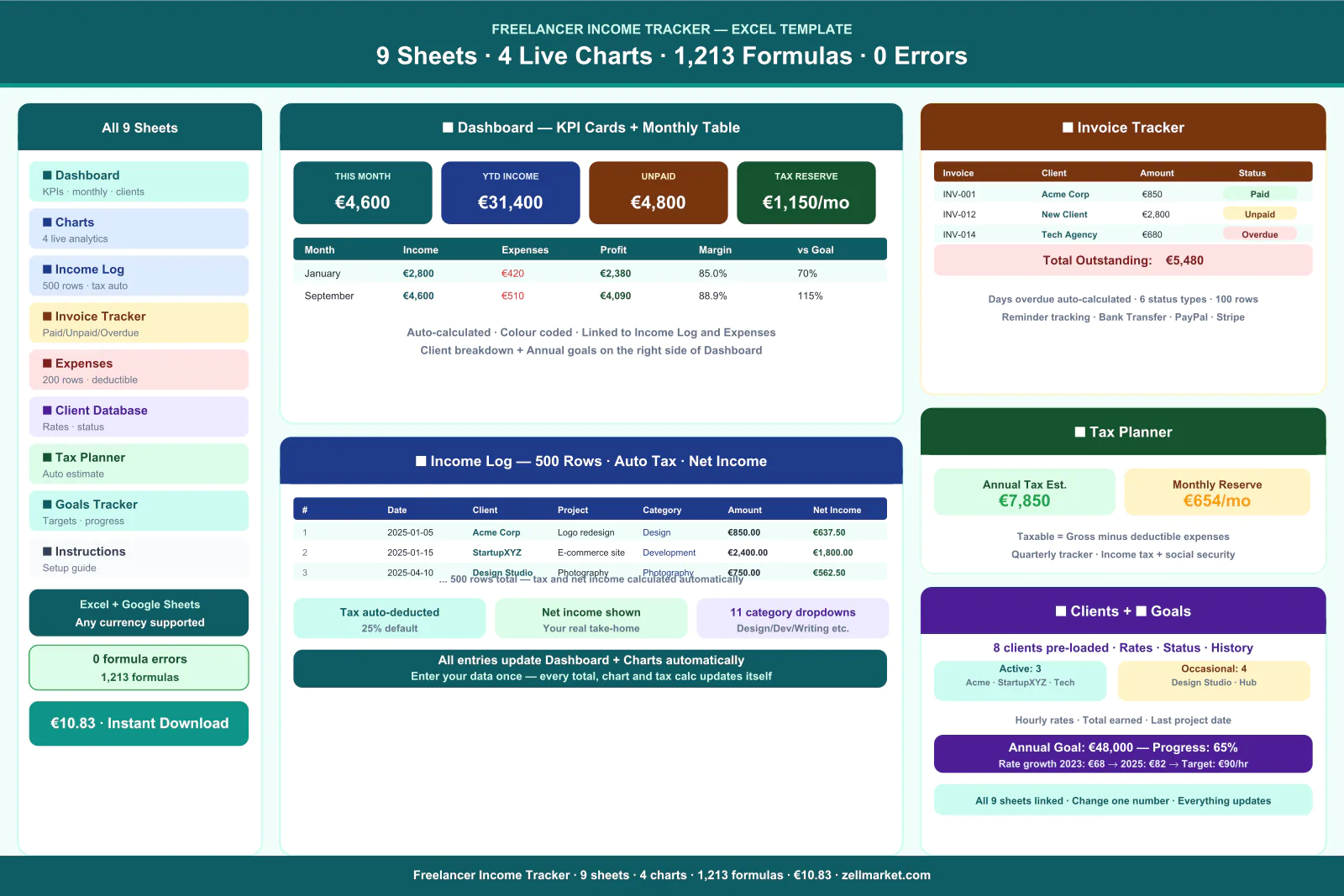
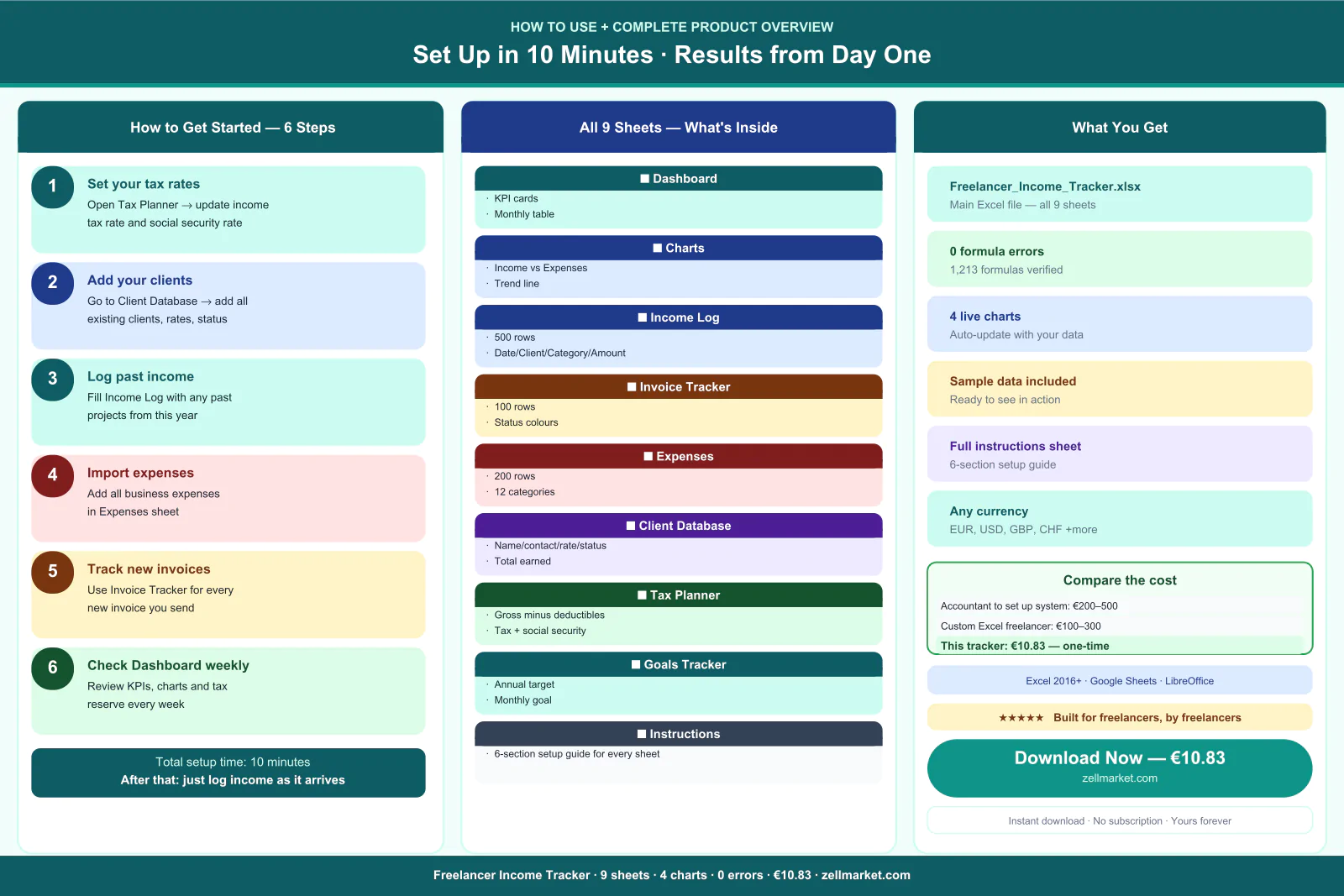
Stop guessing where your freelance money goes. This Excel tracker gives you 9 professional sheets to log every payment, track unpaid invoices, estimate your tax, monitor expenses and hit your income goals — all in one file. Works in Excel and Google Sheets. Instant download.
💼 FREELANCER INCOME TRACKER — EXCEL TEMPLATE
The complete financial tracking system for freelancers, consultants,
designers, developers, copywriters and anyone earning self-employed income.
Stop using random spreadsheets, notes apps and gut feelings to manage
your freelance finances. This tracker gives you everything in one
professional file — ready to use in under 10 minutes.
───────────────────────────────────────
9 SHEETS — EVERYTHING IN ONE FILE
───────────────────────────────────────
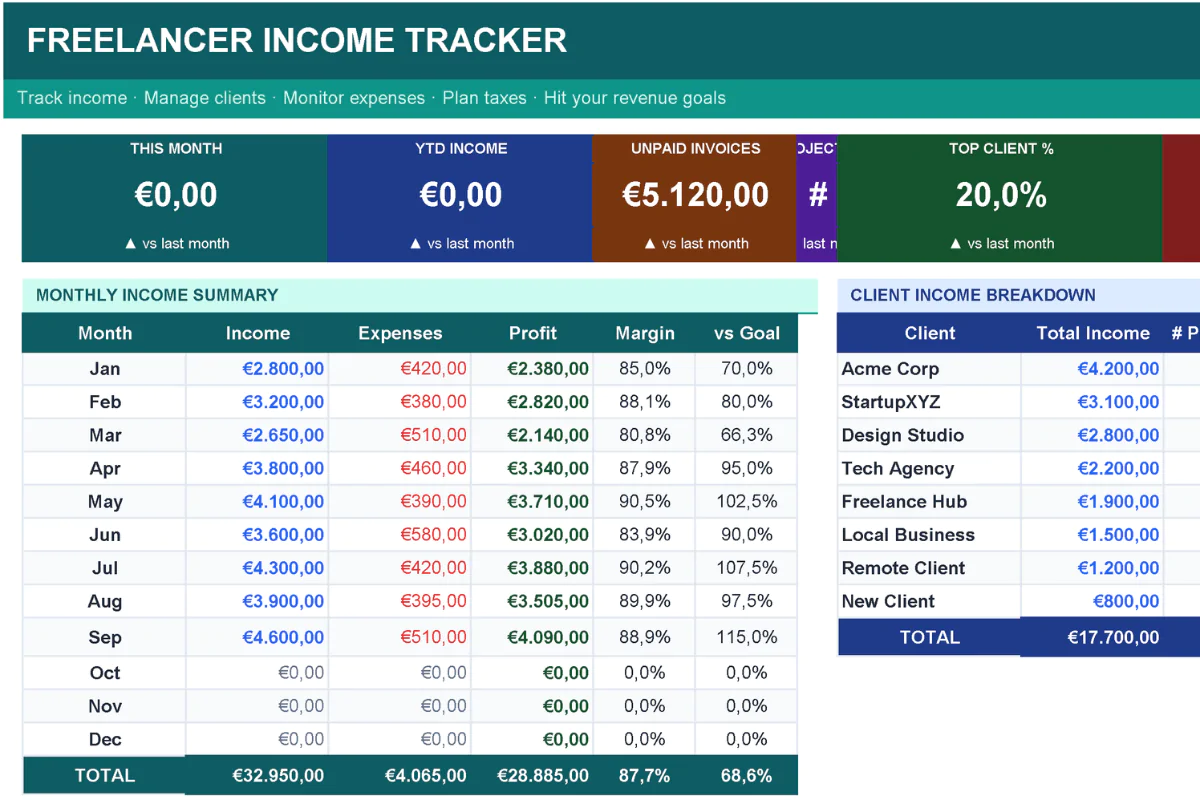
📊 DASHBOARD
Your complete financial overview at a glance. Six auto-calculated KPI
cards show this month's income, YTD total, unpaid invoices, average
project value, top client percentage and tax reserve. Monthly income
table shows income, expenses, profit, margin and progress vs goal for
every month of the year.
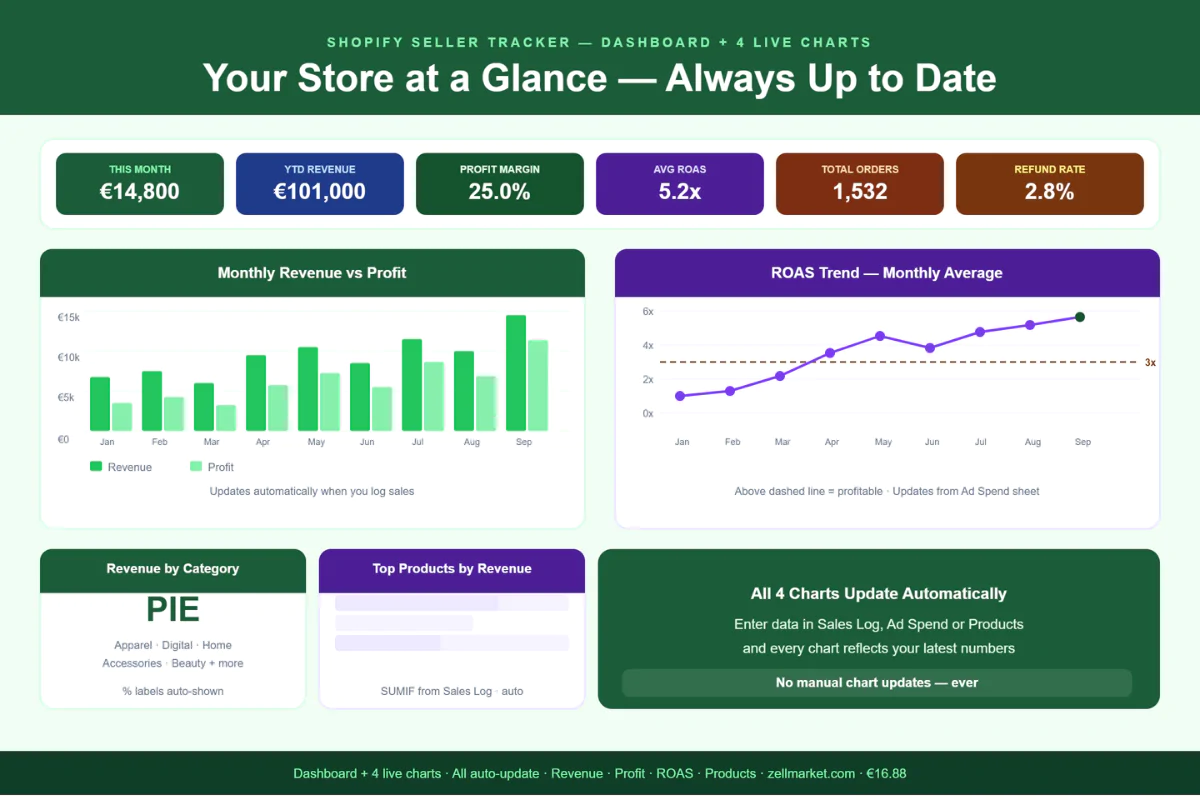
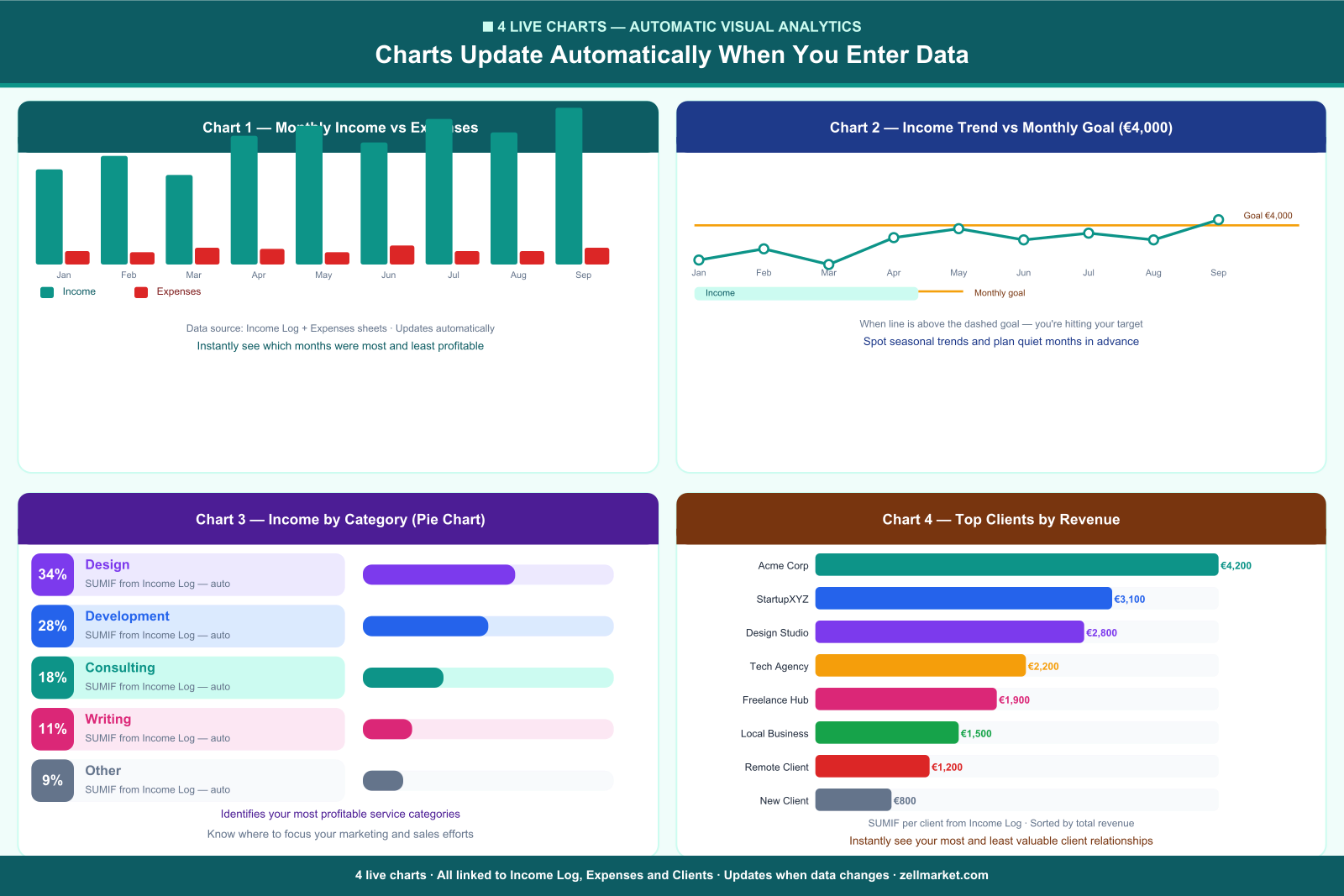
📈 CHARTS (4 Live Visual Analytics)
Four charts that update automatically when you enter data:
· Monthly Income vs Expenses — bar chart for all 12 months
· Income Trend vs Monthly Goal — line chart with goal reference
· Income by Category — pie chart showing your most profitable services
· Top Clients by Revenue — horizontal bar showing your best clients
💰 INCOME LOG (500 rows)
Log every payment as it arrives. Enter the date, client, project
description, category and amount — the tracker automatically calculates
your tax amount and net income. 11 category dropdowns (Design,
Development, Writing, Consulting, Photography, Video, Marketing and more).
Invoice number column links to your Invoice Tracker.
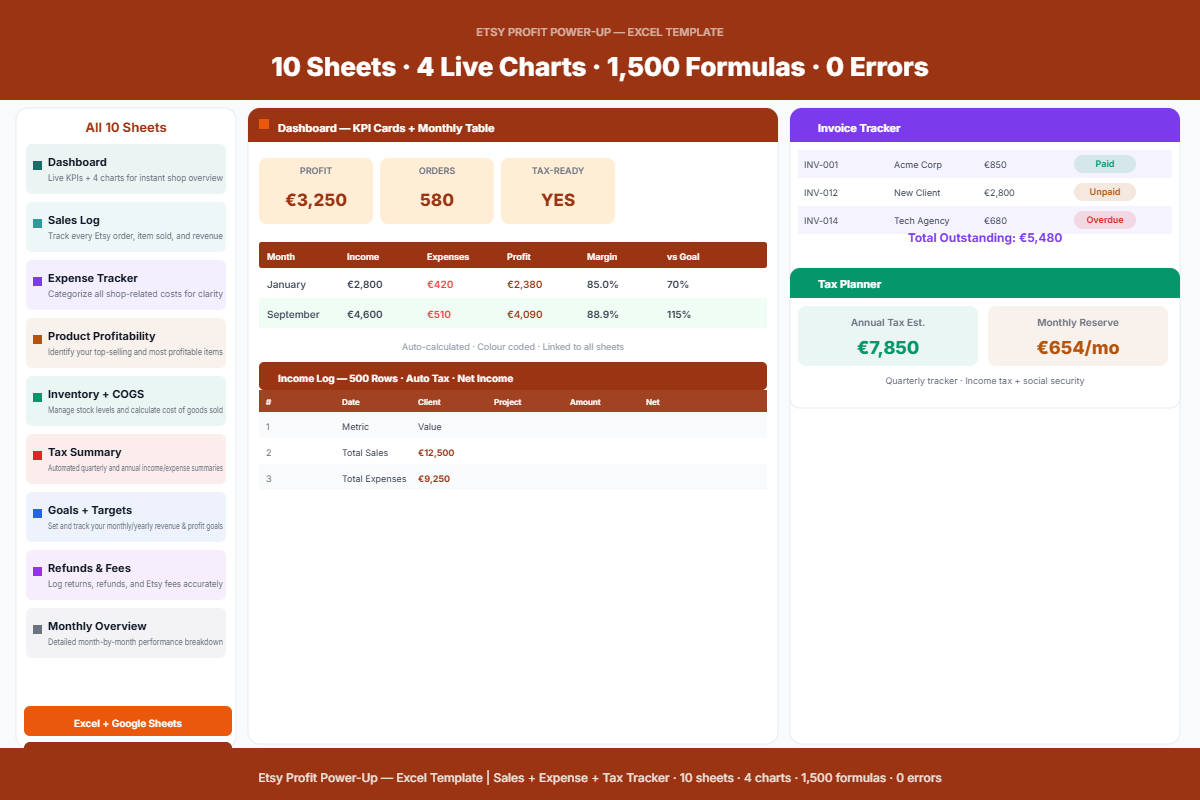
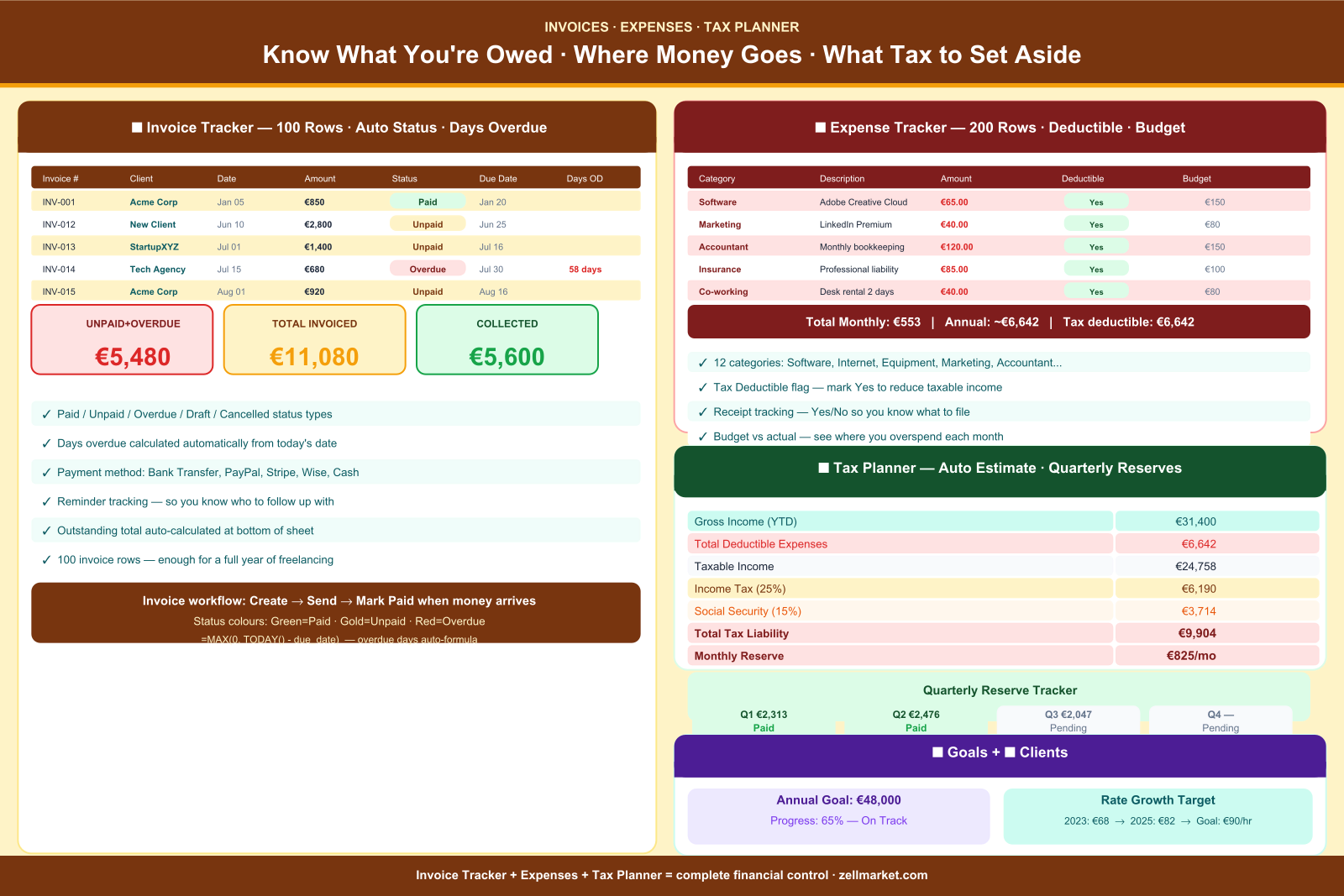
🧾 INVOICE TRACKER (100 rows)
Track every invoice you send. Six status options: Paid, Unpaid, Overdue,
Partially Paid, Cancelled and Draft — all colour coded automatically.
Days overdue calculates itself from today's date. Outstanding total shown
at the bottom. Reminder tracking column so you know who to follow up with.
Payment method dropdown: Bank Transfer, PayPal, Stripe, Wise, Cash.
💸 EXPENSE TRACKER (200 rows)
Log all business expenses with 12 categories. Tax Deductible flag — mark
expenses as deductible to reduce your taxable income automatically. Receipt
tracking column. Budget vs actual comparison column. Total expenses feeds
into your Tax Planner automatically.
👥 CLIENT DATABASE
Store all client details in one place: name, contact person, email,
communication channel, status, hourly rate, total earned and project count.
Five status options: Active, Occasional, Inactive, Prospect, Lost.
Eight clients pre-loaded as examples.
🧮 TAX PLANNER
Set your income tax rate and social security rate once — the planner does
the rest. Calculates gross income, total deductible expenses, taxable
income, estimated tax liability and your exact monthly reserve amount.
Quarterly reserve tracker shows what to set aside every three months.
🎯 GOALS TRACKER
Set your annual income target, monthly goal and hourly rate target.
Progress percentage calculated automatically. Rate growth tracker shows
your year-by-year rate history so you can plan your next increase.
📖 INSTRUCTIONS
Six-section setup guide covering: Getting Started, Income Log Tips, Invoice
Management, Expense Tracking, Tax Planner Setup and Colour Coding guide.
───────────────────────────────────────
KEY FEATURES
───────────────────────────────────────
✓ 1,213 formulas — 0 errors
✓ All sheets fully linked — change one number and everything updates
✓ Colour coded status badges throughout
✓ Dropdown menus for categories, currencies, status and payment methods
✓ Sample data pre-loaded so you can see it working immediately
✓ Any currency — EUR, USD, GBP, CHF, CAD, AUD and more
✓ Works in Microsoft Excel 2016+ and Google Sheets
✓ Instant download — no subscription, no account needed
───────────────────────────────────────
PERFECT FOR
───────────────────────────────────────
· Freelance designers, illustrators and photographers
· Web developers and software engineers
· Copywriters, translators and content creators
· Consultants and business coaches
· Virtual assistants and online business managers
· New freelancers who want to start organised from day one
· Side-hustle earners managing tax on extra income
· Anyone self-employed who wants to understand their real numbers
───────────────────────────────────────
HOW IT WORKS
───────────────────────────────────────
1. Open Tax Planner → set your income tax and social security rates
2. Add your clients to the Client Database
3. Log past income in the Income Log
4. Track all business expenses in the Expens
Published:
Mar 27, 2026 08:21 PM
Version:
v1.0
Category:
Tags: